Bluetooth Speakers
Use the following instructions to pair your phone to the bluetooth speakers
The speakers should automatically turn on in pairing mode.
Enable Bluetooth on your device: Go to the Bluetooth settings on your smartphone, tablet, or computer and ensure Bluetooth is turned on
Select the Pyle speaker: Scan for available Bluetooth devices and select the Pyle speaker (e.g., Pyle USA, or similar) from the list
- Sit back, relax, and enjoy your tunes!
Please be mindful of noise levels, especially in outdoor spaces and after 10pm, so everyone can enjoy the peace and quiet of the lake. 🌊
Fire
Use the following instructions to get your fire going
Go inside the dock house and look for the circular knob
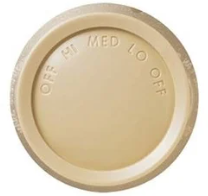
Spin the circular knob gently left or right to adjust the fan speed – Note: if you spin the knob all the way to either side then it turns the fan off
If the knob is pointing to one of the speed settings (not off), but the fan is not turning on, the pull on the small chain on the fan itself. Most of the time this isn’t needed!
Lights
Use the following instructions to operate the lights
Lights inside of the dock house are inside the door toggle switches
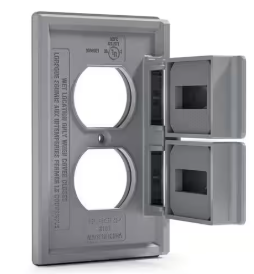
For the lights outside of the dock house, there switch outside behind a grey waterproof outlet cover near the roll up window – as soon as you come off the dock stairs